

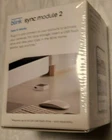
Blink Sync Module 2 - Brand New Sealed in Box
$ 36.94
Description
Sync Module 2 Technical Details The Sync Module 2 is our latest control unit that manages communications between your Blink devices and our secure servers. A system is managed by a Sync Module and can include up to ten devices. Requirements Internet Wi-Fi Connection: 24/7 connection is required for daily device updates and sending your clips to the Blink app. Upload Speed: 2 MB per second minimum Power: 5v 1Amp DC Operating temperature: 32° to 95° F (0° to 35° C), designed for indoor use Frequency Range: 2.4 Ghz Wi-Fi, and ~900 Mhz Blink Low Frequency Radio Protocol Signal Strength: Using the Blink app Sync Module Settings screen, "three bars" of connectivity is required for best performance. USB Storage The Sync Module 2 has a USB "Type-A" port that accepts a "thumbdrive" or USB storage device between 1GB and 256 GB in capacity. The drive is considered "Full" when less than 375 MB of free space is available. Saved clips are named according to the time that the file was saved on the server. Blink servers use UTC (Coordinated Universal Time) which has replaced GMT, or Greenwich Mean Time. When these same clips appear in the Blink app, they are converted to the local time of your device. When you first insert a USB drive, the formatting is checked and you are asked permission to reformat the drive if necessary. You can grant permission, or you can remove the drive from the sync module and reformat the drive yourself to one of the following: Supported Formats ExFAT (preferred) FAT32 (this format stores a maximum of 16,383 clips per day) FAT (MS-DOS) Filename Conventions Clip Backup Local Storage Clip Backups are found on the USB drive in the blink_backup folder. The image below shows a file explorer. blink_backup This folder contains backup clips from eligible cameras. 20-09 This folder indicates a two digit year "20" for 2020, and two-digit month "09" for September. 01-20-21-38_Outdoor_1234567.mp4 The filename shows: Day of the month - Hour - Minutes - Seconds _ Camera Name _ Camera ID . mpeg 4 format