
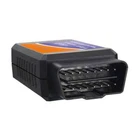
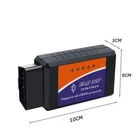
Bluetooth OBD2 OBDII Car Diagnostic Scanner Auto Fault Code Reader Tool ELM327
$ 10.03
Description
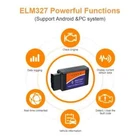
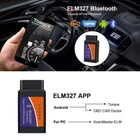
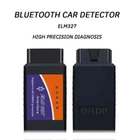
• Bluetooth Connectivity : Connects to your car's Bluetooth system for easy diagnosis and monitoring. • OBD2 V2.1 Compatibility : Compatible with OBD2 V2.1, ensuring accurate and reliable diagnosis. • Diagnostic Instrument : A powerful diagnostic instrument that can identify and troubleshoot issues in your car. • CE Certification : Certified by CE, ensuring that the product meets high safety and quality standards. Protocol support:Protocols supported by OBDII: 1. SAE J1850 PWM (41.6Kbaud) 2. SAE J1850 VPW (10.4Kbaud) 3. ISO9141-2(5 baud init, 10.4Kbaud) 4. ISO14230-4 KWP (5 baud init, 10.4 Kbaud) 5. ISO14230-4 KWP (fast init, 10.4 Kbaud) 6. ISO15765-4 CAN (11bit ID, 500 Kbaud) 7. ISO15765-4 CAN (29bit ID, 500 Kbaud) 8. ISO15765-4 CAN (11bit ID, 250 Kbaud) 9. ISO15765-4 CAN (29bit ID, 250 Kbaud) Software platform: 1. Compatible softwareWindow version: ScanMaster-ELM, ScanTool.net, PCMSCAN, etc.;Android version: Torque, DashCommand, OBD Car Doctor, Auto Doctor, Mini OBDII, EOBD, etc.; Symbian version: OBDScope. 2. Compatible platformsSoftware support platform: Windows XP, Windows 7/8, Android, IOS, Symbian and other systems. Use Instructions 1. Install OBDII(OBD port in the car) 2. Install Android Software Torque a) Copy software to phone from CD b) Install Software 3. Connection OBDII A) Bluetooth OBDII Search b) Enter the password “1234” c) Connection Success 4. Run Software Click menu button setting Bluetooth connection a) Choose Commotion type is Bluetooth b) Choose Bluetooth Device is OBDII Exit Torque, and re-run the software. Successful connection Package contains: 1 x CD