
Turbo Tune Car Sound Simulator & OBD-II Scanner - 70+ Realistic Engine Sounds
$ 12.67
Description
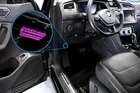
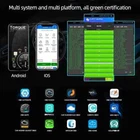
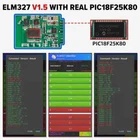
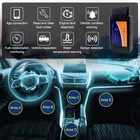
Turbo Tune - The Ultimate Dual-Function Car Gadget Experience the thrill of a high-performance vehicle with Turbo Tune , the innovative device that not only transforms your car's sound but also doubles as a powerful OBD-II scanner. Turbo Tune offers over 70 realistic supercar engine sounds that you can customize to match your driving style, and it provides real-time vehicle diagnostics for a comprehensive driving experience. With Turbo Tune, you get TWO products in ONE , enhancing both your driving excitement and your car's maintenance. How It Works Experience Real-Time Supercar Sounds Through Your Car's Speakers! Connect: Plug the Turbo Tune sensor into your car and connect it to the app on your phone. Choose Your Sound: Browse and pick from over 70 different car sounds available in the app. Experience: Enjoy hearing the selected supercar sound playing through your car's speakers, perfectly synced with your car's RPM. Key Features: 70+ High-Fidelity Engine Sounds: Choose from an extensive library of engine sounds, including roaring V8s, turbocharged inline-4s, and high-pitched supercar exhaust notes. Turbo Tune syncs these sounds with your car's RPM and speed for a realistic experience. Real-Time Vehicle Diagnostics: In addition to enhancing your car's sound, Turbo Tune acts as a full-fledged OBD-II scanner. Connect it to apps like Torque, OBD Fusion, and more to read engine codes, monitor fuel efficiency, and check vital vehicle statistics in real time. Easy OBD-II Bluetooth Connectivity: Simply plug the OBD-II adapter into your vehicle's OBD-II port, typically found under the dashboard, and connect it to the Turbo Tune app via Bluetooth. Compatible with most cars manufactured after 1996. Customizable Driving Experience: The Turbo Tune app, available on both Android and iOS platforms, provides an easy-to-use interface to customize sound profiles, adjust volume levels, and select different engine types. Two-in-One Functionality: Enjoy the best of both worlds—experience dynamic supercar sounds while having a handy OBD-II scanner that helps you maintain your vehicle's health. How to Set Up Turbo Tune: Download the App: Install the Turbo Tune app from the Google Play Store or Apple App Store . Plug in the OBD-II Adapter: Locate your car's OBD-II port (usually under the steering wheel), and plug in the Turbo Tune adapter until it clicks securely. Pair with Your Smartphone: Open the Turbo Tune app, enable Bluetooth on your phone, and pair it with the adapter. Customize Your Sound: Select from over 70 realistic engine sounds, set your preferences, and hit the road with your customized car sound experience. Get Diagnostic Information: Use the app to switch to diagnostic mode and check for engine error codes, monitor real-time fuel efficiency, and more, just like a professional-grade OBD-II scanner. Turbo Tune vs. Competitors: Turbo Tune offers superior functionality compared to competitors. Not only does it provide zero-lag, high-quality engine sound simulation, but it also integrates seamlessly as an OBD-II scanner to deliver vital vehicle data. This makes Turbo Tune an exceptional value with its dual-purpose capability—it's like having two products in one . What’s Included: Turbo Tune OBD-II Bluetooth Adapter Quick Start Guide Access to the Turbo Tune App for Android and iOS Fast & Free U.S. Shipping! Elevate Your Drive Today! Transform your car into a supercar and monitor its performance like a pro. Order your Turbo Tune today and enjoy the benefits of enhanced driving sounds and a reliable OBD-II scanner—all in one device! Turbo Tune Car Sound Simulator & OBD-II Scanner - 70+ Realistic Engine Sounds. Condition is New. Shipped with USPS Ground Advantage. BONUS! - OBD2 Car Scanner Tool!!! The OBD2 Scanner with Bluetooth V2.1 gives you access to information about your vehicle's engine, emissions, and other useful data via your phone, tablet or computer through Bluetooth. You can find out why your engine light is on and fix simple problems by yourself, making the scanner extremely convenient for any technician or vehicle owner. More Than a Diagnostics Scanner The OBD2 car code reader is able to read and interpret over 3000 different error messages so you will always know exactly what the problems are. Besides that, the car diagnostics tool makes it possible to interpret fault codes, clear car fault codes, display sensor data such as engine speed, coolant temperature, car speed and more. Important: Always take the scanner out of the OBD port. Leaving the scanner in the port can slowly drain your battery over time. Compatible with Android and iPhone iPad iOS The scanner works with third-party OBD apps like Faslink x, DashCommand, Torque, Infocar, Auto doctor, Four Stroke or OBD Fusion. The effectiveness of the scanner may be influenced by the specific 3rd party software you choose. If the scanner doesn't work, the issue is likely related to the software being used, and switching to a different software could potentially resolve the problem.