

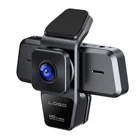
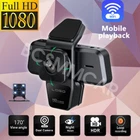
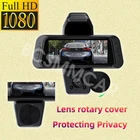
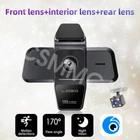



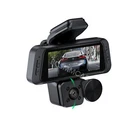

WIFI 3 Channel Dash Cam Car DVR 1080P Video Recorder Parking Monitoring G-Sensor
$ 22.7
Description
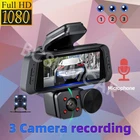
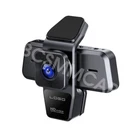
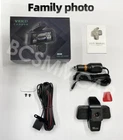
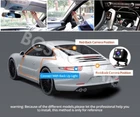
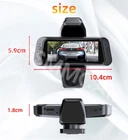
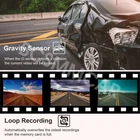
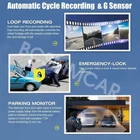
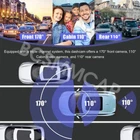
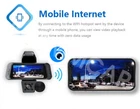
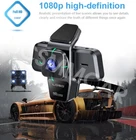
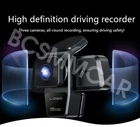
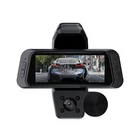
Product View Detail 3 Channel Dash Cam Video Recorder Three Lens WiFi Car DVR Camera with Rear View Night Vision Loop Recording G-Sensor Wifi 3 Channel Dash Cam Three Lens Car DVR HD1080P Interior Camera Vehicle Recorder Video Registrator Dashcam Camcorder Warm tips: Our products are available with WIFI version The new high-definition 3-lens dash cam features built-in WiFi support for iPhone and Android phone connectivity, making it easy for your phone to view videos. Mobile App Connection Cell phone APP connection, real-time view of the data, 2.4Ghz wifi download speed, at any time to download driving video. How to Link WIFI You need to press the M menu button for 5-10 seconds and then it will show the WIFI module, the WIFI QR code is also in the menu bar, and you can eventually link your phone to view the video. Product Function 1. Support 4-32G memory card(not included memory card ) 2. Parking monitoring 3. Loop Recording 4.170° wide angle 5.2 inch screen 6. Support camera function 7.1080P resolution 8.4 ir LEDs 9.G-senor& LOCK 10.Motion Detection Product Parameter Screen size: 2 inches Power: DC 5V 2A G-sensor: support Picture in picture: support Parking monitoring: support DDR: Built-in 64M Night vision fill light: support Lens angle adjustable: support Anterior chamber angle: 170° Internal angle: 110° Rear camera angle: 110° Front camera resolution: 1080P Camera interior resolution: 480P Rear view camera resolution: 480P Front camera aperture: F2.0 Video Resolution: 1080P FDH / 720P/VGA Storage compression: H.264 Video Format: AVI Image Format: JPEG Back view camera cable length: 6m/2.5mm plug Product included 1*Dash Camera 1*Bracket 1*User Manual 1*Car Charger 1*Rearview Camera with 6M Cable About Formatting The Memory Card: When installing a memory card for the first time, be sure to format the memory card on the DVR. After formatting, the DVR can correctly match the memory card. Formatting Steps: After installing the memory card, please enter the DVR menu, find the format option, and click to format the memory card. (Important: Formatting the memory card on the computer is an incorrect operation. Please be sure to format the memory card on the DVR's menu option.) About WIFI Connection: Before connecting to the DVR on the phone, it is necessary to install the WIFI connection app "Viidure APP" in advance. You can search for "Viidure" installation in the Apple App Store or Google App Market. Steps: (1) In standby mode, long press the "M" key to enter the DVR menu and enter the WIFl setting menu; (2)In the wifi menu of the DVR, check to obtain the wifi SSID name and password; (3)Open the "Viidure" APP on your phone, enter the configuration mode, turn on the wifi function of the phone, follow the prompts to find the SSID wifi signal of the DVR and enter the password to connect; (4)After successful configuration, you can connect and operate the DVR through the "Viidure" APP. About 24-Hour Parking Monitoring: (Need to extra order Buck line ) If you need the 24 hour parking monitoring function, you can order the corresponding Buck Line accessories to replace the car charger. Through Buck Line, the DVR power can be obtained directly from the car battery or car ACC, so that the DVR can maintain normal recording work even when the car is turned off.(Since different car models have different battery interfaces or ACC interfaces, it is not recommended to install it by yourself. It is recommended to find a professional to install the Buck Line.) Shipping Policy Payment Method Returns Policy Shipping Policy Payment Method Returns Policy Copyright © 2017 DataCaciques Home Payment Shipping About us Contact us BCSMMCAR Store Categories Store Categories Other Product View Detail 3 Channel Dash Cam Video Recorder Three Lens WiFi Car DVR Camera with Rear View Night Vision Loop Recording G-Sensor Wifi 3 Channel Dash Cam Three Lens Car DVR HD1080P Interior Camera Vehicle Recorder Video Registrator Dashcam Camcorder Warm tips: Our products are available with WIFI version The new high-definition 3-lens dash cam features built-in WiFi support for iPhone and Android phone connectivity, making it easy for your phone to view videos. Mobile App Connection Cell phone APP connection, real-time view of the data, 2.4Ghz wifi download speed, at any time to download driving video. How to Link WIFI You need to press the M menu button for 5-10 seconds and then it will show the WIFI module, the WIFI QR code is also in the menu bar, and you can eventually link your phone to view the video. Product Function 1. Support 4-32G memory card(not included memory card ) 2. Parking monitoring 3. Loop Recording 4.170° wide angle 5.2 inch screen 6. Support camera function 7.1080P resolution 8.4 ir LEDs 9.G-senor& LOCK 10.Motion Detection Product Parameter Screen size: 2 inches Power: DC 5V 2A G-sensor: support Picture in picture: support Parking monitoring: support DDR: Built-in 64M Night vision fill light: support Lens angle adjustable: support Anterior chamber angle: 170° Internal angle: 110° Rear camera angle: 110° Front camera resolution: 1080P Camera interior resolution: 480P Rear view camera resolution: 480P Front camera aperture: F2.0 Video Resolution: 1080P FDH / 720P/VGA Storage compression: H.264 Video Format: AVI Image Format: JPEG Back view camera cable length: 6m/2.5mm plug Product included 1*Dash Camera 1*Bracket 1*User Manual 1*Car Charger 1*Rearview Camera with 6M Cable About Formatting The Memory Card: When installing a memory card for the first time, be sure to format the memory card on the DVR. After formatting, the DVR can correctly match the memory card. Formatting Steps: After installing the memory card, please enter the DVR menu, find the format option, and click to format the memory card. (Important: Formatting the memory card on the computer is an incorrect operation. Please be sure to format the memory card on the DVR's menu option.) About WIFI Connection: Before connecting to the DVR on the phone, it is necessary to install the WIFI connection app "Viidure APP" in advance. You can search for "Viidure" installation in the Apple App Store or Google App Market. Steps: (1) In standby mode, long press the "M" key to enter the DVR menu and enter the WIFl setting menu; (2)In the wifi menu of the DVR, check to obtain the wifi SSID name and password; (3)Open the "Viidure" APP on your phone, enter the configuration mode, turn on the wifi function of the phone, follow the prompts to find the SSID wifi signal of the DVR and enter the password to connect; (4)After successful configuration, you can connect and operate the DVR through the "Viidure" APP. About 24-Hour Parking Monitoring: (Need to extra order Buck line ) If you need the 24 hour parking monitoring function, you can order the corresponding Buck Line accessories to replace the car charger. Through Buck Line, the DVR power can be obtained directly from the car battery or car ACC, so that the DVR can maintain normal recording work even when the car is turned off.(Since different car models have different battery interfaces or ACC interfaces, it is not recommended to install it by yourself. It is recommended to find a professional to install the Buck Line.) Shipping Policy Payment Method Returns Policy Contact US Shipping Policy All items will be checked before packing. All items are new and of high quality. Item will be shipped within 1 business days upon receipt of payment, excluding weekends and public holidays. If to USA,we will ship your order by USPS,it will take about 8-12 working days to you,and you can track it on line. If to other country,we will ship your order by China Post or Singapore Registered Air Mail,it will take about 14-21 working days to you,you aslo can track it on line. Delivery time is about 14-28 business days and it may take up to 8 weeks . Payment Method We accept payment by PayPal only ! Payment should be completed within 5 days after buyer places the order,or else an unpaid case will be opened in order to cancel the transaction. If you can not pay in time, please contact us. e-check from PayPal will only be processed once the payment clears. All of the items will be shipped to buyer's EBAY address,please confirm your address on Ebay before you buy.Your order will be usually shipped out the same or next business days once the payment is made and cleared. Returns Policy 30-day Warranty with Exchange for defective, malfunctioned, incorrect or parts-missing items. Please notify us and return the item with all parts and accessories packed and marked "FOR EXCHANGE" within 14 days of receipt. If defective, malfunctioned or parts-missing items are no longer available, a refund may be issued. All returning postage costs will be the responsibility of the buyers under all circumstances. Contact US If you encounter any problems about anything, please feel free to contact us and we will do our best to assist you solve the issue. If you are not satisfied in anyway, please feel free to let us know and give us a second chance to correct it before you decide to leave any neutral or negative feedback. Please contact us through eBay link if you have any questions. We will reply you within 24- 48 hours. Please check you spam mail if no response for 48 hours. Home Payment Shipping About us Contact us


