
XTOOL AD20 PRO OBD2 OBDII Car Diagnostic Scanner Auto Fault Code Reader Tool
$ 12.67
Description
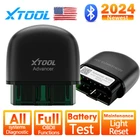
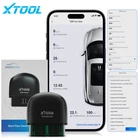
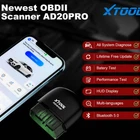
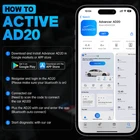
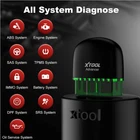
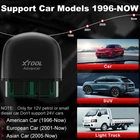
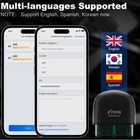
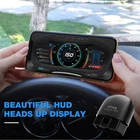
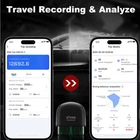
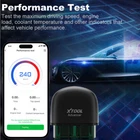
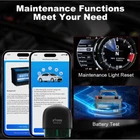
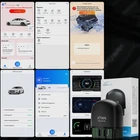
XTOOL Advancer AD20 Pro Wireless OBD2 Scanner >➤XTOOL AD20 Pro is a user-friendly and small OBD2 BT interface that turns your smartphone into a sophisticated car diagnostic tool and real-time car performance monitor. ----Full Systems Diagnosis ----All OBD Functions ----Oil Light Reset ----Lifetime Free Software Update ----Battery test ----Component test ----Fit for Android & IOS The upgraded version of the AD20 PRO adds the function of full system diagnosis, battery testing and maintenance lights on the basis of AD20. It is the most prominent OBDII scanner at the same price, which is more powerful than ELM327, AD10, AD20. Highlight of AD20 PRO: 1. Full System Diagnose: When other OBDII scanners only support ODB diagnosis, our AD20PRO has supported the full system diagnosis. It supports access all the available system of your car to read/clear code. 2. All OBD Functions: AD20 PRO performs all OBD functions as: read/clear code, data stream, Smog Check, throttle valve carbon deposition test, etc. 3. Battery Test: Using AD20 PRO to test your car battery can quickly know the performance and health of the battery. 4. Maintenance Light Reset: Close the oil service light and reset service mileage & service interval after replacing the engine oil. 5. Driving Recording & Analyze: This function could help you record and analyze fuel consumption, distance and some driving behaviors during driving. You could analyze the hidden problem of the car and solve it by these data. 6. Intuitive HUD Display: AD20 PRO supports displaying data in the form of HUD. Multiple instrument panel styles for you to choose from. 7. Superior Hardware + Lifetime Free Update: Bluetooth 5.0, compatible with IOS & Android; Support Lifetime Free Update, continuous software update without any subscription fee. All System Diagnostic Tool AD20 PRO XTOOL AD20 PRO can access all available car ECU to read & clear codes. It support the system as below: ABS System, Engine System, SAS System, TPMS System, IMMO System, Battery System, Oil Service System, SRS System, DPF System, Air Conditioning System, Transmission System, etc. Note: Only for Read and Clean Error Codes for all systems (Please contact us for checking the compatibility between our AD20 PRO with your car models before purchasing ) Maintenance Functions Meet Your Need Battery Test AD20 PRO supports battery test, check the battery voltage of the battery, generator power generation and starting voltage data, and timely feedback the real-time data of your car battery Maintenance Light Reset Close the oil service light and reset service mileage & service interval after replacing the engine oil. Performance Test The maximum driving speed, engine load and coolant temperature reflected by acceleration up to 100KM/H can read the performance indicators of the vehicle to a large extent. Note: The top speed reached 100km/h end test automatically Driving Record AD20 PRO can record your specific driving distance and average driving speed each time. Driving Analysis AD20 PRO can help you analyze the time, driving distance, average fuel consumption (for reference only), average speed and maximum speed of each driving. It will also record a series of data analysis such as sudden acceleration, sudden turning, emergency braking and fatigue driving. This data can help you get a clear picture of your own or your family's driving habits. Live Data Display AD20 PRO supports analysis OBD2 data in live, specifically show a series of OBD2 engine data such as coolant temperature, intake air temperature, throttle speed, engine RPM, etc. Real-time HUD Display Adjust AD20 PRO to HUD mode to display the real-time data of the engine as an instrument panel. Multi-language Supported AD20 PRO currently only supports three languages: English, Spanish, Korean Warm Tips: Arabic, French, German, Japanese, Russian, Polish, Portuguese, will be added in the next update. (if there is no language you can choose, just wait for the next update) AD20 PRO Extended Function AD20 PRO supports simultaneous binding of multiple car models (you need to scan the product code on AD20 PRO to bind AD20 PRO for each binding) Feedback& Comments: If you have any discomfort during use or if you have better suggestions, you can submit your comments and feedback online, and we will optimize and adopt some reasonable suggestions in subsequent upgrades. Protocol Supported: 1.SAEJ1850 PWM(41.6Kbaud) 2.SAE J1850 VPW(10.4Kbaud) 3.ISO9141-2(5 baud init,10.4Kbaud) 4.ISO14230-4 KWP(5 baud init,10.4 Kbaud) 5.ISO14230-4 KWP(fast init,10.4 Kbaud) 6.SO15765-4 CAN(11bit ID,500 Kbaud) 7.ISO15765-4 CAN(29bit ID,500 Kbaud) 8.ISO15765-4 CAN(11bit D,250 Kbaud)9.ISO15765-4 CAN(29bitID,250 Kbaud) How to use AD20 PRO easier? 1. Download and install the AD20 PRO application software (Advancer AD20) in the APP store or the Android market (or scan and download) 2. Register and log in to your account in the Advcaner program (requires email verification) 3. Connect the car and bind the car (need to scan the product code of AD20 PRO) 4. Keep AD20 PRO connected with Bluetooth (Bluetooth is connected inside the software) and enter the software 5. Start diagnosis On Aug 26, 2024 at 05:11:25 PDT, seller added the following information: